For closet, garage and home organization companies

Get your evenings back.An AI assistant for your closet company.

Ask where any job stands, who owes what or what is installing this week, and get the answer from your real records. ClosetPro designs come in as quotes, and the assistant drafts the rest for you to approve.

What closet companies ask it most: where a job stands, who owes what, and what came in this week.

Start with one quote. Bring your client and price lists in whenever you like, with AI-assisted import. 14 days free with the ClosetPro integration, no card needed.

ClosetCRM assistantOnline
In the app · Claude · ChatGPT
ClosetProNew proposal: Garcia primary walk-in
Turn the Garcia proposal into a quote and send Maria a 50% deposit link.
You · 9:41 AM
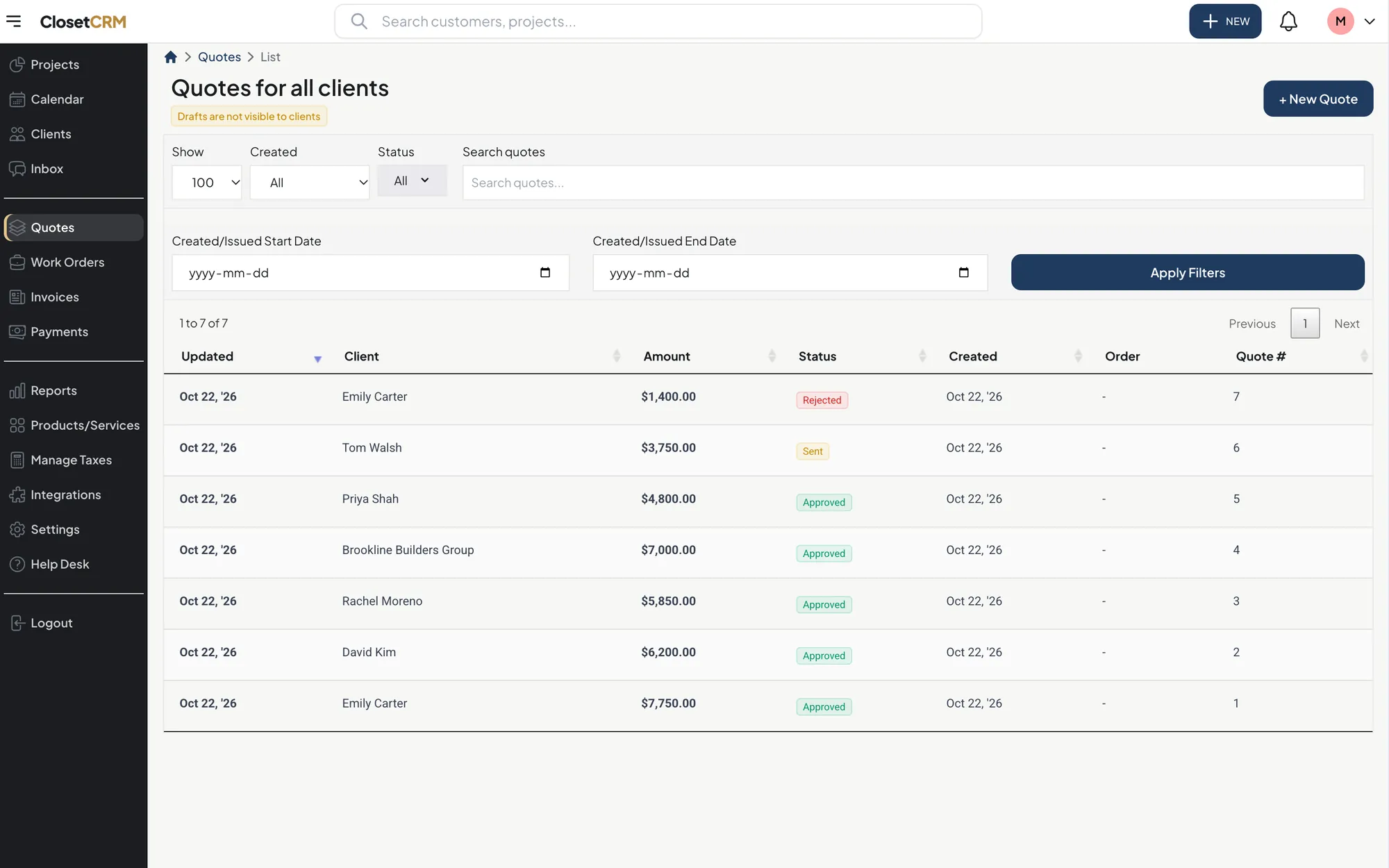
Quote · Garcia primary walk-inDraft
Closet system, per ClosetPro design$6,840.00
Installation$1,200.00
Delivery$150.00
The quote is ready with a 50% deposit link. Send it to Maria now?
Approve and send Edit first
Try an example
“ClosetCRM is the best money we spend every month. It’s been a godsend for us.”
Terry F., Owner, Dream Closets Inc.
Read the story →
“It’s like moving from a Honda to a Bentley.”
Joe L., Owner, Bella Systems, seven custom-closet locations
Read the story →

Your designer designs. Your assistant does the rest.

Ask the assistant inside ClosetCRM, or connect Claude or ChatGPT, in plain words. It works in your real quotes, jobs and schedule, and nothing reaches a client until you say so. It can’t move money.

New in Claude: dashboards built from your live ClosetCRM data. See how to set one up

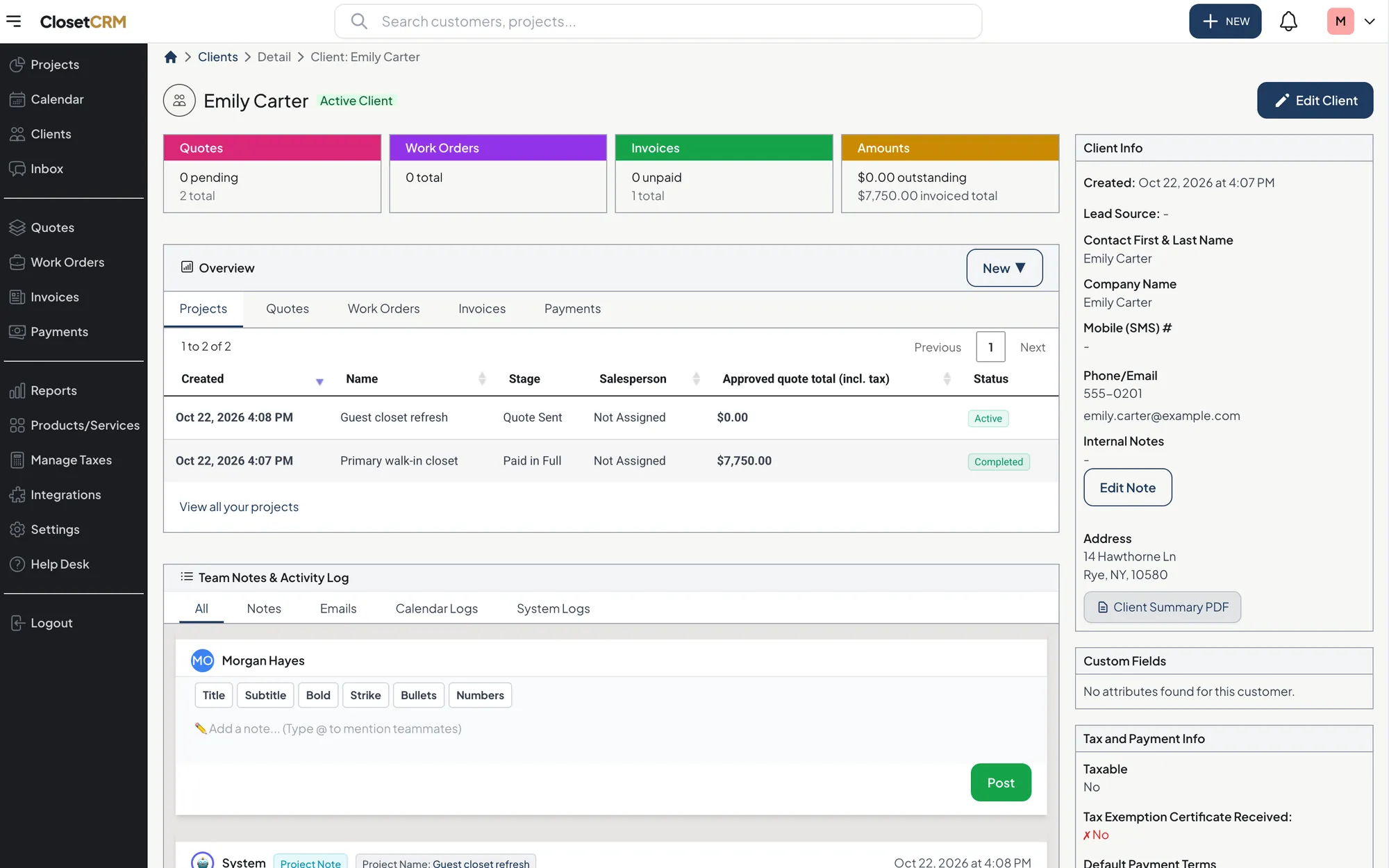
Everything on one job“Pull up everything on the Hartwell primary closet: quote, invoices, payments and notes.”
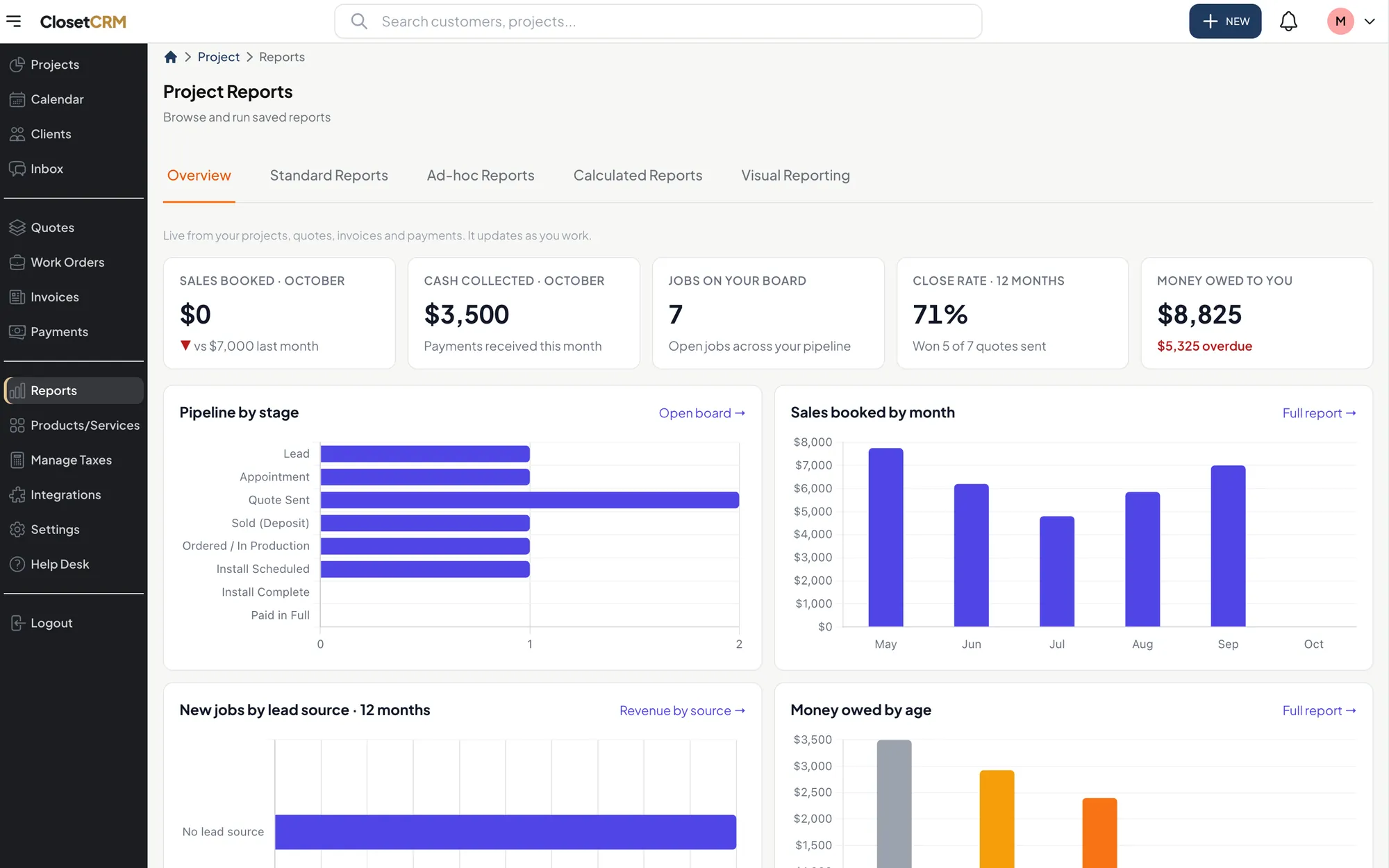
Your own live dashboard“Show open jobs by stage, unpaid invoices, quotes waiting and what was paid this week.” In Claude it becomes a dashboard you keep.
Sold but not scheduled“Which jobs have a deposit paid but no install date yet?”
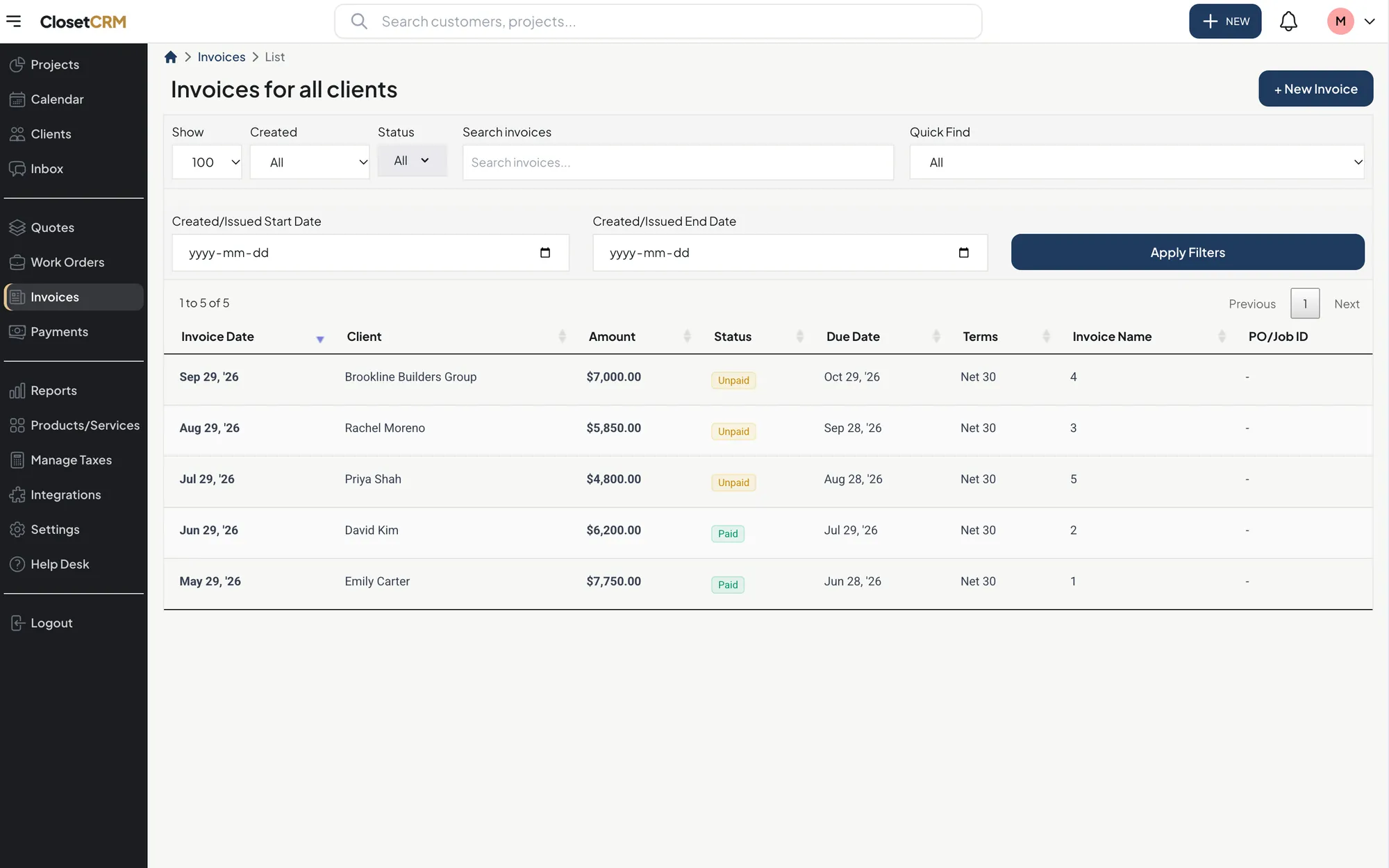
Who owes me“Which invoices are overdue, and how much is outstanding in total?”
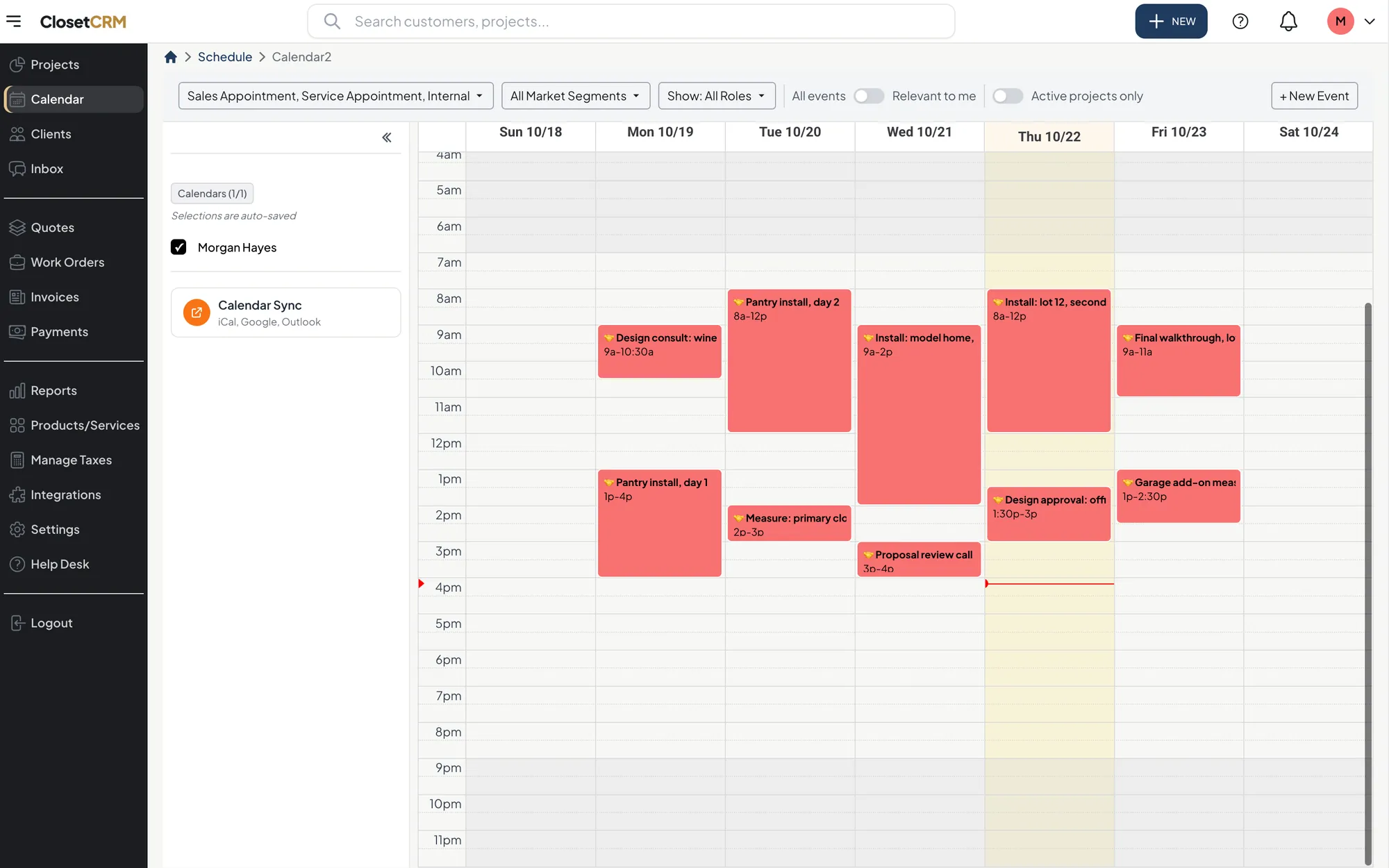
Install week“Book the Garcia install for Friday at 8am, 6 hours, and show me the rest of the crew’s week.”
Pipeline“Show revenue by month and how many jobs are at each stage.”
Consult notesTalk through what you measured and what they picked. It writes the notes, sizes and to-dos onto the job.
Plan my day“What’s on today, what’s running late, and who should I chase first?”
Quote from a photo or your voiceSnap a design printout or talk through the job. You get quote lines to check, with your prices where they match.
Snap a receiptPhotograph a receipt or a supplier invoice. It lands on the job’s costs after you check it.
ClosetPro integration

Design in ClosetPro. Sell in ClosetCRM.

Connect your ClosetPro account once. Your clients or projects go to ClosetPro, and every proposal comes back as a quote with its line items, so nobody retypes a client or a design.

1DesignYour designer builds the closet in ClosetPro.
2QuoteThe proposal lands in ClosetCRM as a quote, ready to send.
3DepositThe client approves and pays the deposit online.
4InstallSchedule the crew, add the install photos, then invoice the balance.

Your closet business, set up in a few minutes.

Your job stages, lead sources and a starter price list are set up for a closet shop at signup, ready for your prices. Rename anything later.

Lead Appointment Quote Sent Sold (Deposit) Ordered / In Production Install Scheduled Install Complete Paid in Full

Starter price list: Closet system, Installation, Delivery. Bring your own clients and prices from a spreadsheet or the app you use now. How switching works →

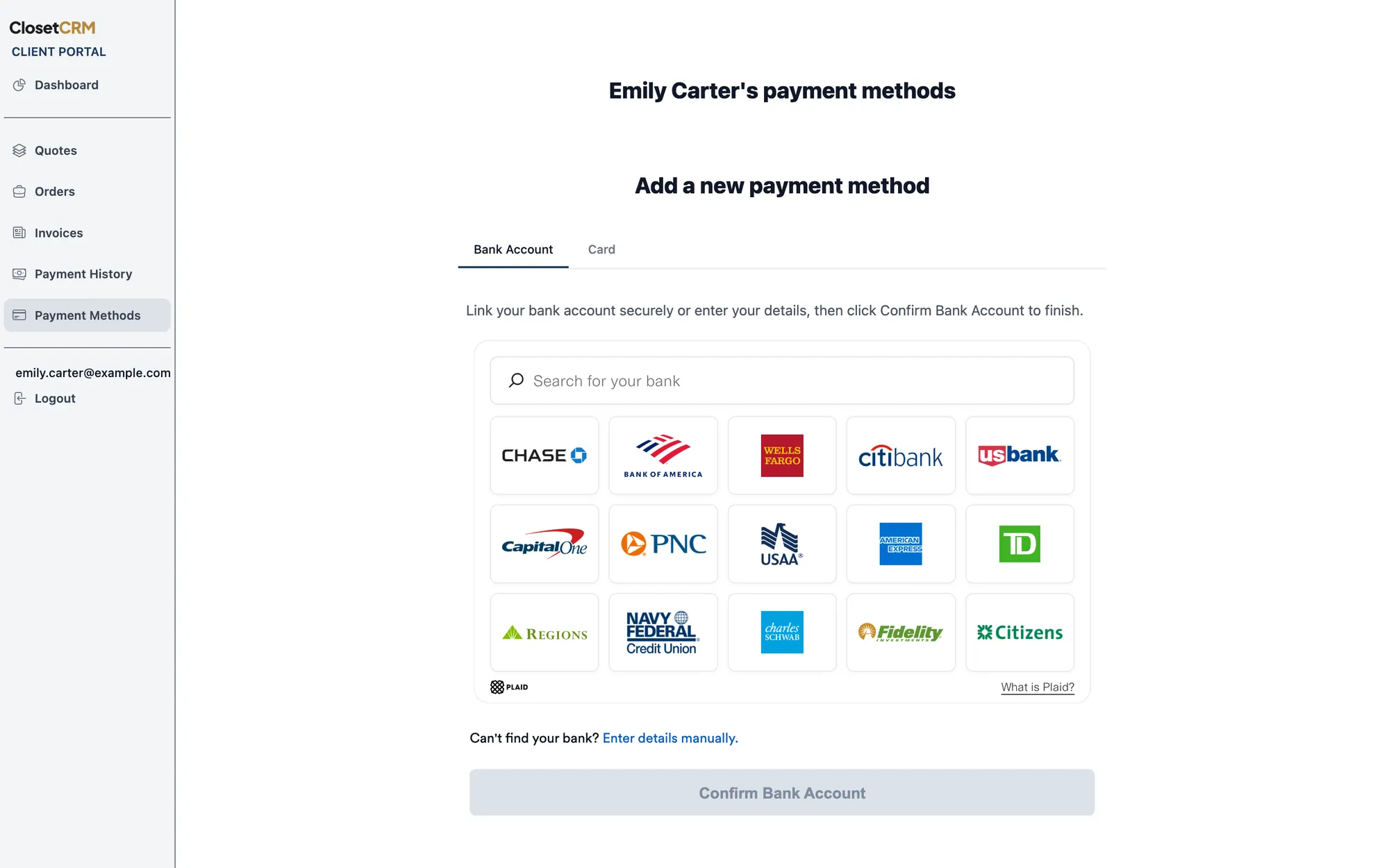
1%Bank transfer depositsThe low-cost way to take a large closet deposit. Cards are 2.9% + 30¢.
1 linkApprove and pay togetherClients approve the design and pay the deposit in the same place.
QBOQuickBooks Online syncPayments and invoices land in your books without double entry.
Client portal

Your clients get their own portal.

Clients log in under your logo to approve and sign their design quote, pay the deposit by card or bank transfer, and follow their job to install day, with photos of the finished closet. Fewer “when’s my install?” calls, and deposits paid sooner.

Approve and sign the design Pay the deposit online Install day and photos Sign-offs on colors and hardware Your logo and colors
Your client’s portalGarcia residence
Quote · Primary walk-inCloset system, installation, deliveryApprove and sign
Deposit invoice · $4,095.00Card or bank transferPay now
InstallFriday, 8:00 AMScheduled

Everything a closet job needs.

From the first consult to the final payment, in one app on your computer and your phone.
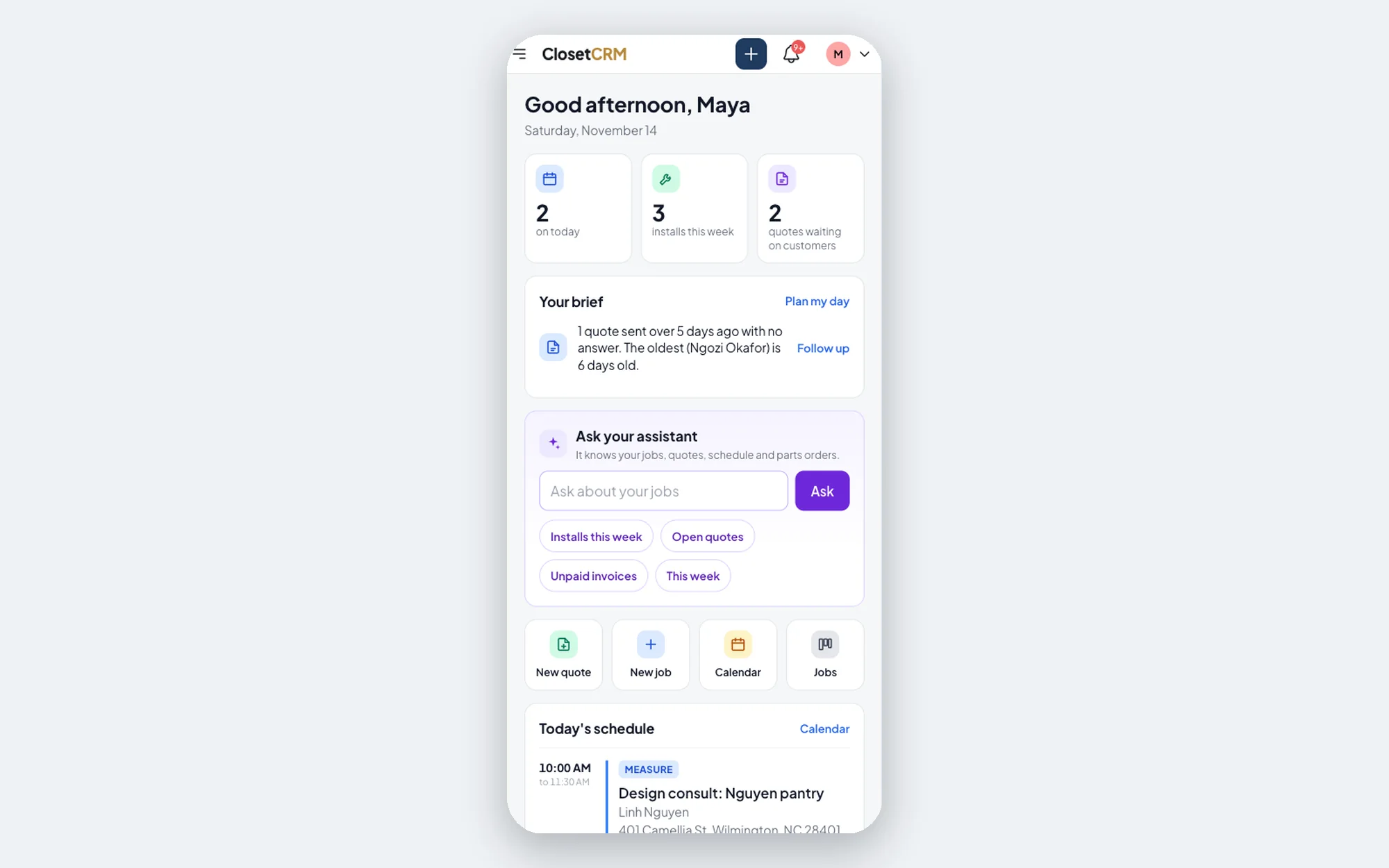
The ClosetCRM Today screen on a phone with the day's count, a brief of what needs chasing, the assistant and today's schedule
Your day, with an AI brief Today’s consults and installs with one tap to call or get directions, a short list of what needs chasing, and an assistant you can ask. Add it to your home screen.
1 / 7

Pricing

AI assistant on every plan. Try Advanced, with the ClosetPro integration, free for 14 days. Monthly billing. Cancel any time in the app. Your data is yours to download.
Basic$49 / month1 user
Essential$199 / month5 users
Advanced$399 / month10 users, ClosetPro integration
Start your free trial Compare everything in each plan →

FAQs

Is ClosetCRM a standalone app?
Yes. It’s a complete app that works in any browser on your phone, tablet or computer. Connecting Claude or ChatGPT is optional.
Do I need ClosetPro?
No. Without it you build quotes from your own price list. With it, on Advanced, your clients or your projects are sent to ClosetPro and every proposal comes back as a quote with its line items.
How long does setup take?
A few minutes. Your job stages, lead sources and a starter price list are set up for a closet shop at signup, ready for your prices. Then bring in your clients and build your first quote. A brand-new trial can email clients after its first day, or right away once a card or bank account is on file.
Can I bring my clients and price list over?
Yes. Upload a spreadsheet or an export from the software you use now, and ClosetCRM matches the columns for you. Anyone already in your account is skipped.
Can my clients pay online?
Yes. Clients pay by card or bank transfer from the quote or invoice link, and you can add a fee of up to 3% on credit card payments.
Does the AI assistant send things without asking?
Not inside ClosetCRM. There it asks you before anything reaches a client, and it can never move money.
What happens after the 14-day trial?
Pick a plan and add a card to keep going. If you don’t, your account pauses and nothing is deleted. You can still sign in and download your data.
Can I cancel?
Yes, any time, from the Billing page in the app. Billing is monthly. You keep access to the end of the period you paid for, you are not charged again, and your records stay available to you. Payments already made are not refunded.
Can I get my data out?
Yes. Your data is yours. An account admin can download your clients, jobs, quotes, invoices, payments and price list any time, as spreadsheet files, on every plan.
What if I edit a quote after I send it?
Edit a sent quote without losing what you sent: earlier versions are kept and you can view them from the quote.
Is anything limited during the trial?
The trial is always the Advanced plan, and you pick a plan at the end. To keep spam out, a new trial can email clients after its first day, or straight away once you add a card (you are not charged until the trial ends). Taking card and bank payments needs a short application that is usually approved in one to two business days.
I am already a customer. How do I get the newest features?
Every new account has everything listed here from day one. If you joined before November 2026, email us and we will switch the newest features on for your account.

Design it Monday. Deposit by Tuesday.

Start your free trial 14 days free, no card needed.