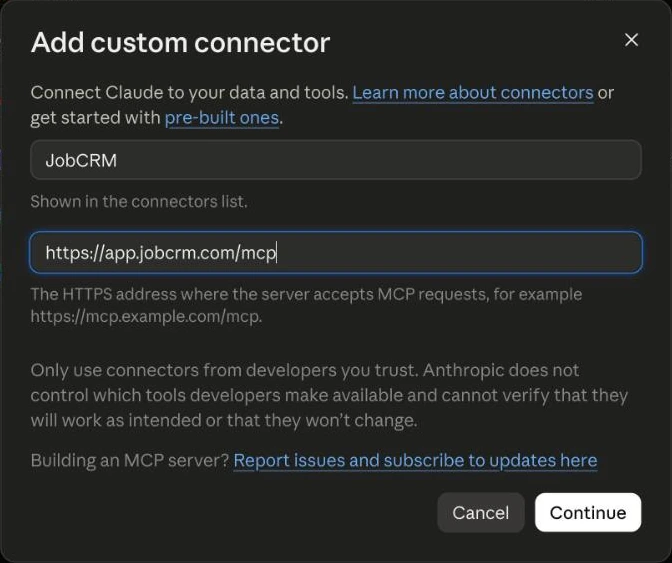
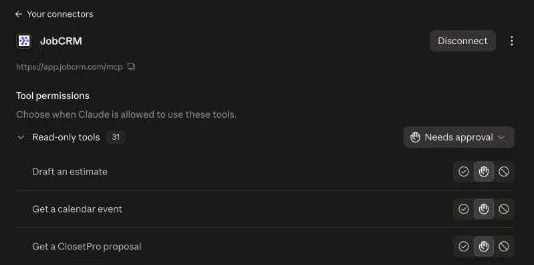
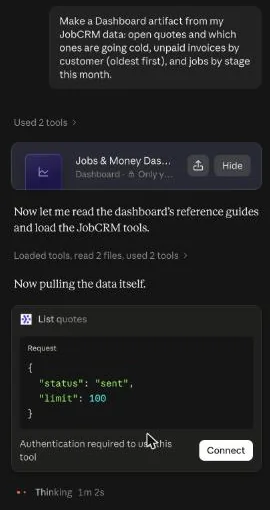
Start with the whole business in one answer
The day starts with one question that pulls everything at once: quotes waiting on a client, unpaid invoices, what was paid and what’s on its way to the bank, today’s appointments and installs, open work orders and your follow-up notes. It isn’t only a morning thing. Ask again through the day; the answer always comes from the live records, not a report someone ran last week.
Try asking“Give me my rundown: today’s appointments and installs, quotes waiting on a client, unpaid invoices, payments since yesterday, payouts on the way and anything in my notes to follow up on.”
Answer "where’s my job?" while the client is on the phone
A client calls, and instead of opening four screens, you ask for that client’s job, what’s been paid, what’s still owed and when the install is. The answer is back before the small talk is over.
Try asking“Where is the Hendricks job? What have they paid, what do they still owe, and when is the install?”
Add a new lead the moment it comes in
When a new inquiry lands, the assistant adds the client and creates the job in the first stage, so it’s in the pipeline before anyone forgets. Ask it to book the design consult too; nothing is emailed to the client when it does.
Try asking“Add a new lead: Dana Whitfield, dana@example.com, 555-0142, pantry and reach-in closet at 48 Marsh Lane. Create the job and book a design consult Thursday at 10.”
Keep the pipeline honest
A pipeline is only useful if the stages are current. Ask for jobs by stage, see which ones are stuck, and move jobs along in plain words when a design is approved, an order goes in or an install is booked.
Try asking“Show my jobs by stage, flag anything that hasn’t moved in two weeks, and move the Hendricks job to Install Scheduled.”
Draft the quote, then look it over
The assistant builds a draft quote from your own price list, with your prices, and saves it unsent so you can check it in ClosetCRM. If your designers use ClosetPro, their proposals already come in as quotes with every line item.
Try asking“Draft a quote for Dana Whitfield’s pantry: 12 feet of adjustable shelving, a pull-out basket unit and installation, from my price list.”
Take the deposit as soon as the quote is approved
When a client approves, the next step is the deposit. The assistant creates the deposit invoice at your usual percentage, or the one you name, and leaves it unsent for you.
Try asking“The Whitfield quote was approved. Create the 50% deposit invoice.”
Leave notes your whole team can see
Anything worth remembering, a gate code, a client’s color change, a callback promise, goes on the job as a note so the next person sees it, instead of living in one person’s texts.
Try asking“Add a note to the Hendricks job: client wants the island top in walnut, installer should call 30 minutes ahead.”
You still send it
Send quotes and invoices yourself from ClosetCRM after a quick look, or let the assistant send them, but only after you confirm. It can never move money. That split is the point: the assistant does the looking up and the drafting, and you make the calls that reach a client.