Snap the printout. Get the quote.
Take a photo of a design printout, a sketch or a price sheet. ClosetCRM reads the items, sizes and prices into a quote for you to check and send, with a link for your client to approve and pay the deposit.
14 days free. No card needed.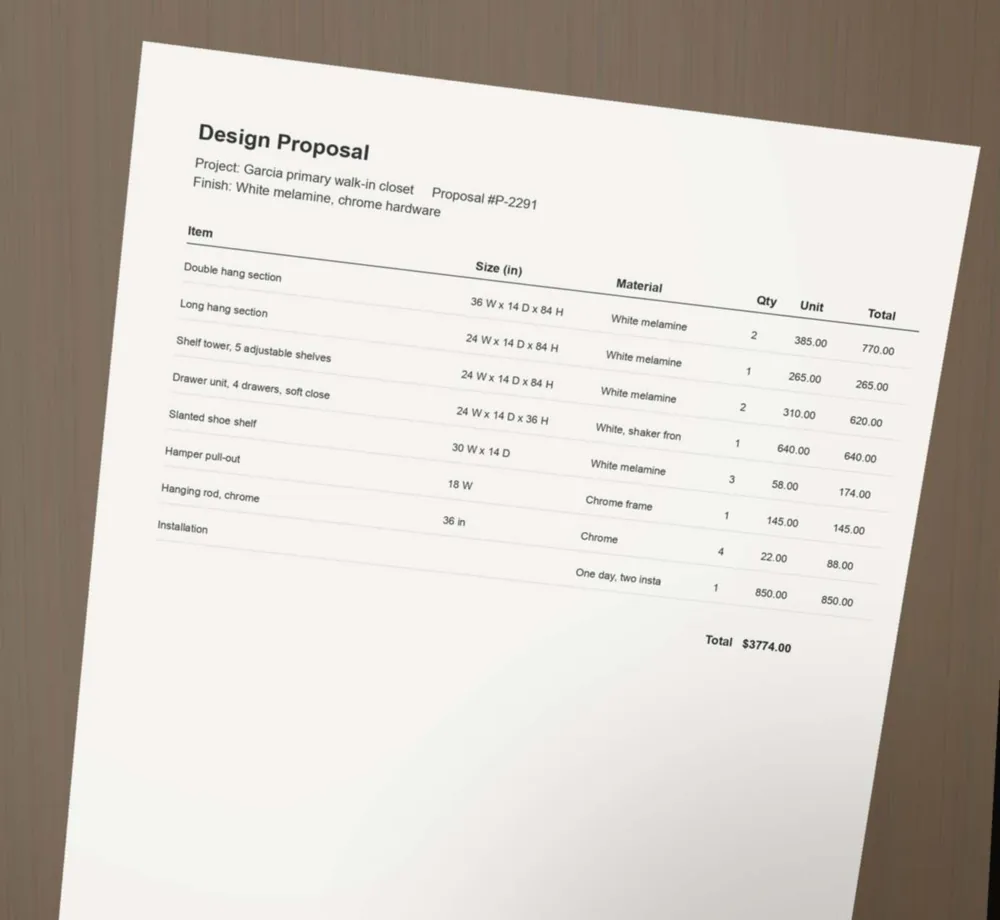
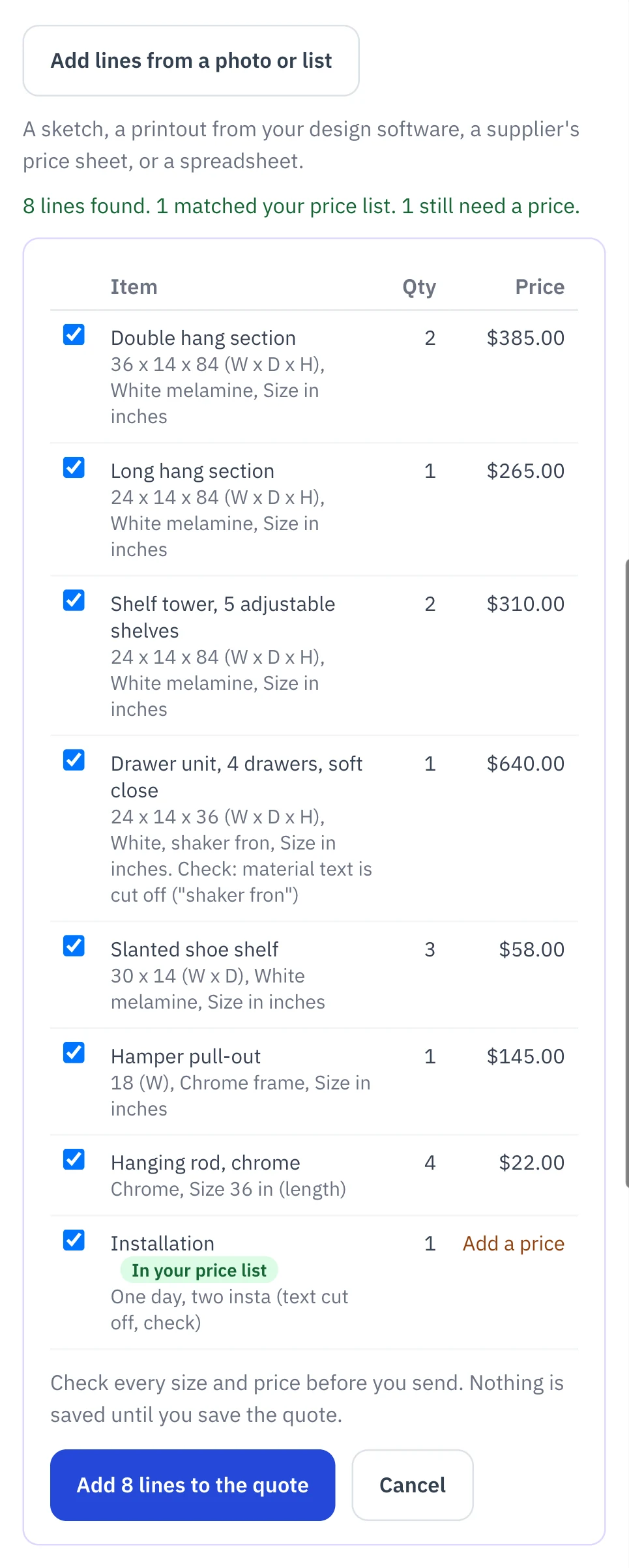
From the page to a quote in three steps.
This is the same photo, read on a phone. It took about twelve seconds.
What it reads.
Use ClosetPro? Your designs already come in as quotes, no photo needed. This is for everything else.
A design printout
The parts list or proposal your design software prints.
A hand sketch
A drawing with the sizes written on it.
A supplier’s price sheet
So your starting prices are in without typing them.
A PDF or spreadsheet
Upload the file instead of a photo.
It copies. You check.
It reads what is written on the page. It does not measure the closet, design it, or work sizes out. A line it could not read clearly is marked “check”, and nothing is saved until you save the quote.
When an item matches your price list, it takes your price. The rest keep the printed price or wait for yours.
Then the job runs itself.
Your client opens one link to approve the quote and pay the deposit by card or bank transfer. The install goes on the calendar, and the final invoice is a tap away.
Questions
Can I turn a photo of a closet design into a quote?
Yes. On a new quote, tap "Add lines from a photo or list" and take a photo of the printout, sketch or price sheet. ClosetCRM lists the items, sizes, quantities and prices it found. You tick the ones you want and they go into the quote.
What can it read?
A printout from your design software, a hand sketch with sizes written on it, a supplier’s price sheet, a PDF, or a spreadsheet. If you use ClosetPro, your designs already come in as quotes without a photo.
Does it measure the closet or design it for me?
No. It copies what is written on the page. It does not measure, design or work sizes out, and anything it is unsure of is marked for you to check. You check every size and price before the quote goes out.
Does it use my prices?
When an item on the page matches one in your price list, it takes your price. Other lines keep the price printed on the page, or are left blank for you to fill in.