Closet design software vs closet business software
By the ClosetCRM team · November 2026
They are two different tools for two different jobs. Closet design software draws the closet and works out the parts. Closet business software runs the company around it: leads, quotes, deposits, the install calendar, invoices and payments. Most closet companies need one of each, and the question that matters is how well they talk to each other.
Closet design software
Closet business software
The question it answers
What are we building?
Where is this job, and have we been paid?
Used by
Designers, in the client’s home or at a desk
The owner, the office, sales and install crews
What comes out
3D drawings, a parts list, a price, sometimes a cut list
A signed quote, a deposit, a schedule, invoices, reports
Used when
From the measure to the approved design
From the first phone call to the final payment and the review
Examples
ClosetPro, KCD, Mozaik, Cabinet Vision, SketchUp
ClosetCRM, which is made for closet companies, and general field-service and contractor apps, which are not
What design software does
A closet design tool lets a designer lay out sections, drawers and accessories to the client’s wall measurements, show it in 3D, and produce a price and a parts list. Some are built for closets only and for selling in the client’s home. Others come from the cabinet world and go further into manufacturing, producing cut lists and files for a saw or a CNC machine.
Closet-specific design tools, such as ClosetPro, are made for selling in the home: fast layouts, 3D views and a proposal the client can approve.
Cabinet and closet manufacturing tools, such as KCD, Mozaik and Cabinet Vision, design the job and also drive the shop, with cut lists and machine output.
General 3D tools, such as SketchUp, can draw anything, but pricing and parts lists are up to you.
Which one fits depends mostly on whether you buy parts from a supplier or cut your own. A company that buys parts needs a fast selling tool. A company that manufactures needs the design to reach the saw.
What design software does not do
Keep track of every lead and who needs a call back.
Tell you which jobs are waiting on a deposit, on materials or on an install date.
Put installs on a calendar your crews can see.
Send the deposit invoice and the final invoice, and record what was paid.
Let a client look up their own job instead of calling you.
Show you revenue, unpaid balances and which lead sources pay off.
Some design tools take a deposit or send a proposal, and that is useful. But once the design is approved, the job still has weeks of ordering, scheduling, installing and collecting ahead of it. That part is the business software’s job.
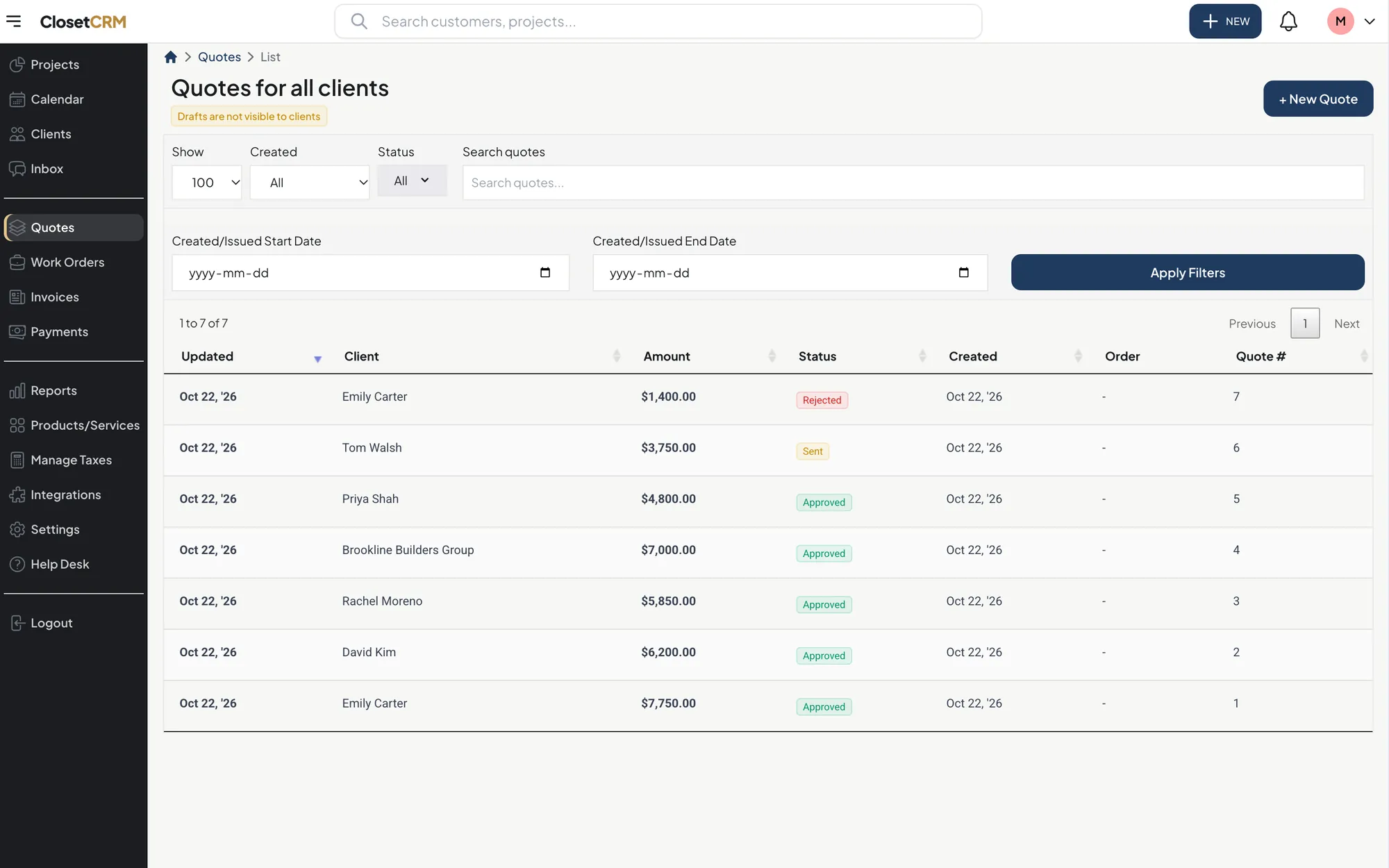
Closet business software: every quote, who it is for, and whether it has been approved.
The gap between them is where the time goes
If the two tools do not connect, someone types every closet twice: once in the design, and again as a quote or an invoice. That is slow, and it is where wrong prices and missing line items come from. It is also why the quote often goes out the next day instead of that evening.
46%Of approved closet quotes are signed within a day
77%Within a week
$4,000Median approved closet quote
Nearly half of the quotes that get approved are approved within a day of being written. A day lost to retyping is a day the client spends talking to someone else.
Three ways to connect them
A direct link. The design tool sends the proposal to the business software with every line item, so the quote is already written. This is the best case.
Upload the parts list. Export the parts list or job report from your design tool as a spreadsheet, CSV, PDF or report, upload it, and check the quote lines that are read from it. One extra step, no retyping.
A photo. Take a picture of the design printout and have the line items read into a draft quote. It works with any design tool, including paper.
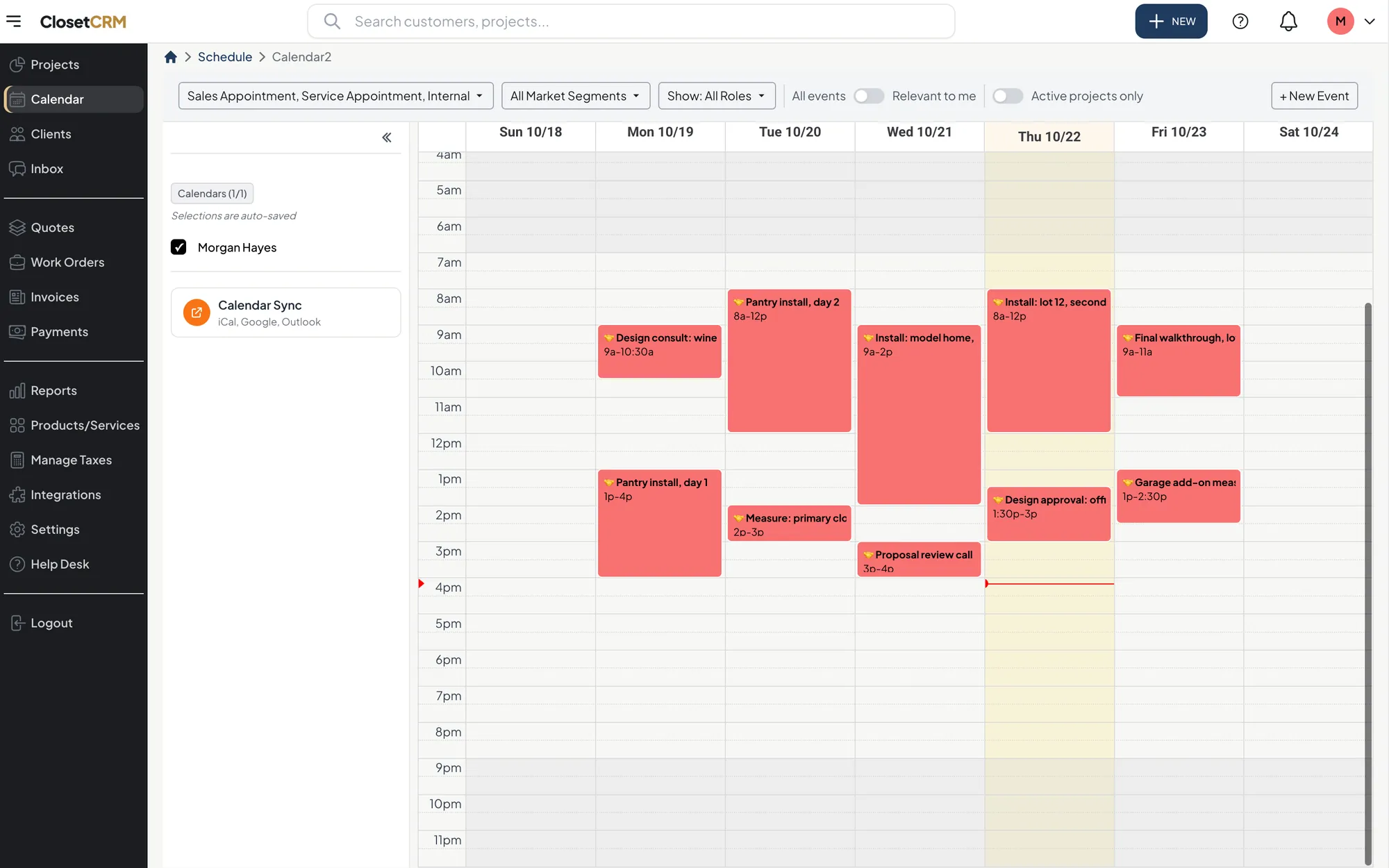
After the design is approved: consults and installs on one calendar for the whole team.
What to buy first
Your company
Start with
Then add
Just starting, buying parts from a supplier
A closet design tool you can sell with in the home
Business software once you have more jobs than you can hold in your head, usually around five open at once
A few designers, steady jobs
Both, connected
Reports: lead sources, close rate, unpaid balances
You manufacture your own
A design tool that drives your shop
Business software that reads the parts list your design tool exports, so the office is not retyping the shop’s work
Several locations
Both, with one set of prices and stages across locations
Reporting for each location
Figures are combined across closet companies using ClosetCRM: 7,026 approved quotes and their invoices in the 12 months to November 2026. No single company’s numbers are shown.
How ClosetCRM connects to your design tool
ClosetCRM is closet business software. If your designers use ClosetPro, the two are linked: a ClosetPro proposal arrives as a quote with every line item, and new jobs are sent to ClosetPro so the designer does not re-enter the client. ClosetPro is included on the Advanced plan. See how ClosetPro connects.
If you design in something else, upload the parts list or job report it exports, or take a photo of the design printout, and the line items are read into a draft quote for you to check before it goes out. See quote from a photo.
From there it is one system to the final payment: the client signs, the deposit is invoiced, the install goes on the calendar, and the built-in AI assistant can tell you where any job stands.
Ask the assistant“Which quotes are approved but still waiting on a deposit?”
No. ClosetCRM is closet business software. It runs leads, quotes, deposits, scheduling, invoices and payments. It works alongside your design software and links directly with ClosetPro.
Do I need both design software and business software?
Most closet companies do once they have more than a handful of jobs open. The design tool wins the job. The business software makes sure it gets ordered, installed and paid for.
What is the best closet design software?
It depends on whether you buy parts or manufacture. Companies that buy parts usually want a fast, closet-specific selling tool. Companies that cut their own usually want a tool that also produces cut lists and machine files.
Can I use a general CRM instead of closet business software?
You can, but a general CRM does not know about deposits, install dates or design proposals, so you end up building those yourself. Software made for the closet trade has those steps built in.
How does a closet design get into a quote without retyping?
Through a direct link if your tools have one, by uploading the parts list or job report your design tool exports, or by taking a photo of the design printout. Either way you check the line items before the quote goes out.